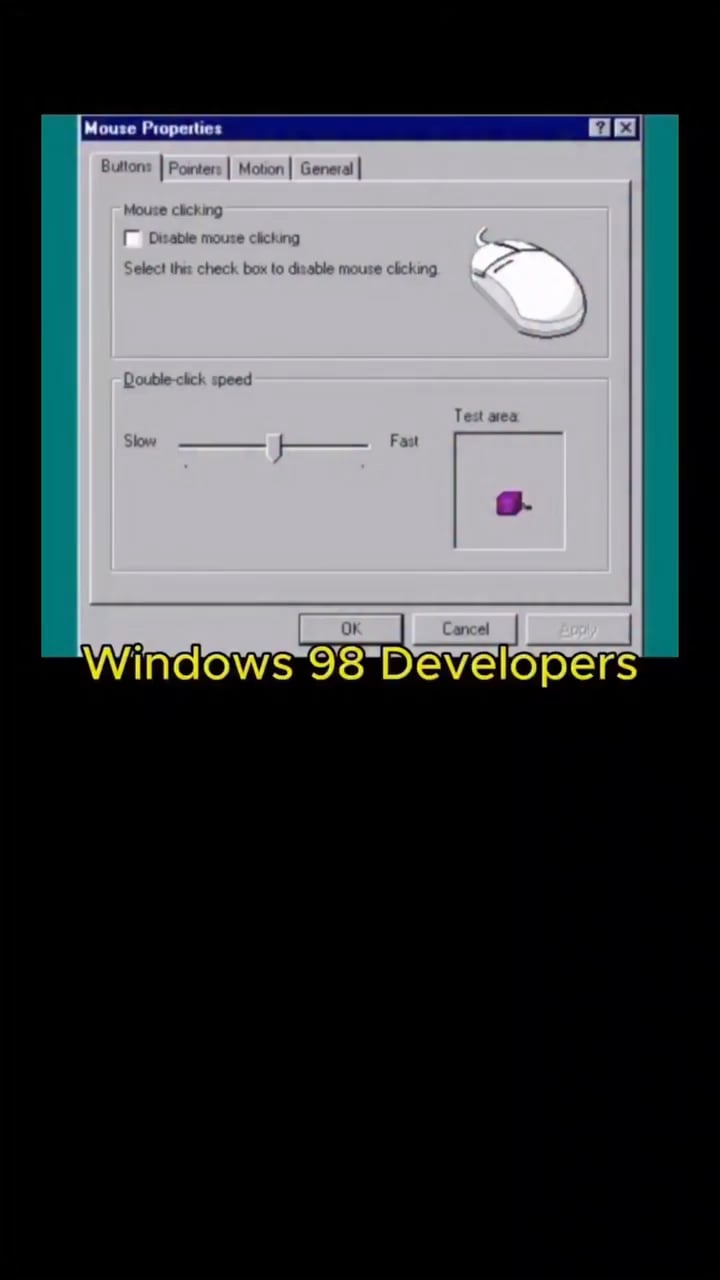
Well UI back then was designed for keyboard navigation you could actually use Windows 95 and 98 completely without a mouse
Simply use tab or even arrow keys to navigate the elements and spacebar was interact so you could simply press spacebar to check and uncheck the box
If you did have a mouse connected but with double click disabled then you could still click on the box you wanted to interact with and then spacebar to check and uncheck it
So this isn’t bad design at all, in fact far better design than what we have now especially for less tech savvy users in particular older people you could setup their Windows with double click disabled as they often accidentally did that and then could teach them to use spacebar and enter instead for that function
I don’t know why the person who made this video thinks it is bad design, just use spacebar
Dry-Syllabub-3500 on
The sound is so nostalgic
1767gs on
Spacebar/Return key to the rescue
One_Living1194 on
😂😂😂
ZeroTrustIssues on
The ‘I trust myself too much’ button.
PerspectiveFew1990 on
It’s very useful for pranks on coworkers.
AlienZiim on
Try turning off graphic support on the motherboard with no backup gpu, fun time
Shadow88882 on
All the jokes we would play in computer classes when someone left their computer open.
You’d come back the screen inverted, upside down, unable to click, and when you could click itd open unlimited windows till it shut down lol
zen_masterpiece04 on
Press space to uncheck!
Edit: you can navigate using your keyboard by pressing the Tab key. See the dotted line that outlines the text? That means you are hovering/selecting that specific check box.
That applies to other buttons and window Tabs as well. You can see it move around while pressing the Tab key multiple times.
ExtremlyFastLinoone on
You can press tab to highlight text boxes, back then it was pretty common knowledge
Wojtek1250XD on
What next? Navigate back to it by spamming tab and then space?

23 Comments
A mousetrap, huh?
Presses enter*
Just press spacebar and enter
Delete My Computer is still the goat
I havent pressed Apply yet!!!
Well UI back then was designed for keyboard navigation you could actually use Windows 95 and 98 completely without a mouse
Simply use tab or even arrow keys to navigate the elements and spacebar was interact so you could simply press spacebar to check and uncheck the box
If you did have a mouse connected but with double click disabled then you could still click on the box you wanted to interact with and then spacebar to check and uncheck it
So this isn’t bad design at all, in fact far better design than what we have now especially for less tech savvy users in particular older people you could setup their Windows with double click disabled as they often accidentally did that and then could teach them to use spacebar and enter instead for that function
I don’t know why the person who made this video thinks it is bad design, just use spacebar
The sound is so nostalgic
Spacebar/Return key to the rescue
😂😂😂
The ‘I trust myself too much’ button.
It’s very useful for pranks on coworkers.
Try turning off graphic support on the motherboard with no backup gpu, fun time
All the jokes we would play in computer classes when someone left their computer open.
You’d come back the screen inverted, upside down, unable to click, and when you could click itd open unlimited windows till it shut down lol
Press space to uncheck!
Edit: you can navigate using your keyboard by pressing the Tab key. See the dotted line that outlines the text? That means you are hovering/selecting that specific check box.
That applies to other buttons and window Tabs as well. You can see it move around while pressing the Tab key multiple times.
You can press tab to highlight text boxes, back then it was pretty common knowledge
What next? Navigate back to it by spamming tab and then space?
Good thing now we have keyboards
Tab tab tab tab tab tab tab tab tab oops shift tab shift tab enter
[Windows without a mouse](https://www.amazon.com/Windows-Without-Mouse-First-Steps-ebook/dp/B007FHN4CM)
No wonder we had Y2K problem.
R/Delete command
I remember this and finding out how to tab for the first time. I was that kid lol
This would be hilarious without the reaction at the bottom. Now I can’t save or send it anywhere