
A few weeks ago I realized something kind of embarrassing:
I wasn’t “relaxing” on Instagram.
I was just… killing time.
I’d open it “for a minute” and suddenly 40 minutes were gone. Do that a few times a day and boom – over 2 hours of my life eaten by reels and random posts that I didn’t even remember afterwards.
One day I was talking to a friend about how much time I waste on my phone, and he recommended an app that completely changed how I use Instagram.
Here’s what I did:
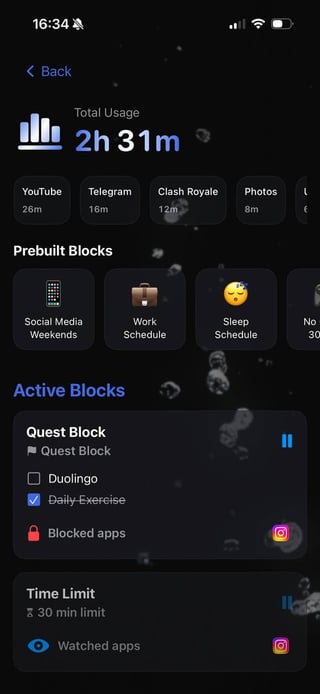
– I created two blocks for Instagram.
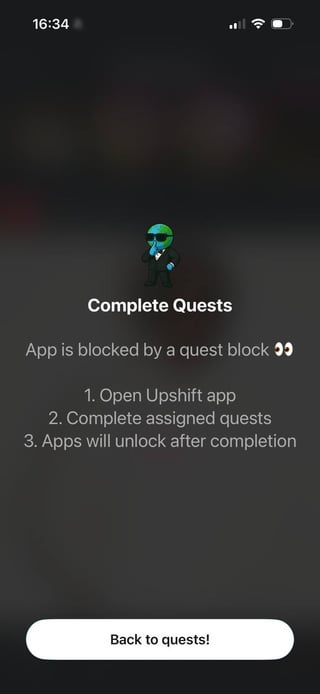
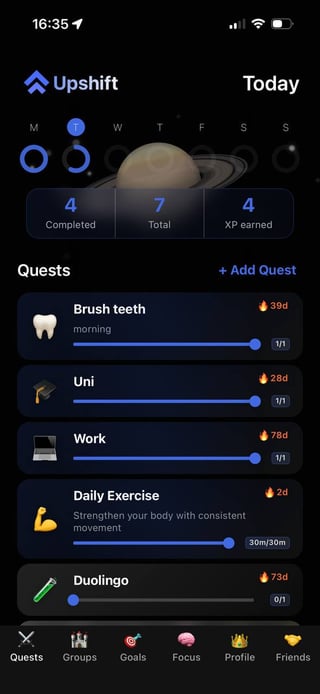
– Block 1: a “quest block that doesn’t let me open Instagram until I finish all my tasks for the day.
– Block 2: a 30-minute time limit block with strict mode that blocks the app after the llimit, and while in strict mode, it cannot be even deleted/paused
So the rules are simple:
– No Instagram until I finish what I *actually* need to do.
– After that, I get max 20–30 minutes as a “reward” in the evening.
If someone really needs to reach me, I either:
– Pause the block for 1 minute to quickly check a message, or
– Just tell people to write me on Messenger/another chat app instead.
Now Instagram turned from a constant background distraction into a small “evening treat” to turn off my brain after a productive day, instead of something that quietly eats my time from morning to night.
Results so far:
– My daily Instagram usage went from ~2 hours to around 20–30 minutes.
– I actually *notice* when I open the app now, because it feels like a conscious choice, not a reflex.
– Weird side effect: I don’t even miss the extra scrolling. If anything, it feels kind of cringe now when I realize how much I used it before.
Not saying everyone needs to do this, but if you:
– Keep telling yourself “I’ll just scroll for a bit” and then lose an hour, or
– Feel like you “don’t have time” but your screen time says otherwise…
Then setting up strict blocks + using Instagram only *after* your real-life tasks are done might be a game changer.
Happy to share more details about how I set up the blocks if anyone’s curious.
by PulandoAgain
2 Comments
share the How rather than the What
For anyone curious, the app is iOS only